

Scheduling Promotions
Control when promotions activate and deactivate. Schedule campaigns in advance, pause temporarily, or end permanently.
Scheduling Promotions
Schedule promotions to activate and deactivate automatically at specific dates and times.
How to Schedule
Open or create a promotion in Abra
Scroll to Active Dates
Set your Start Date (required)
(Optional) Set your End Date
Click Save
The promotion will activate automatically at the start date/time and deactivate at the end date/time (if set). Times follow your store's configured time zone in Shopify.
To reactivate: Remove or update the End Date and save.
Scheduling Public Promotions Safely
Public promotions activate immediately when saved unless you schedule them with a future start date.
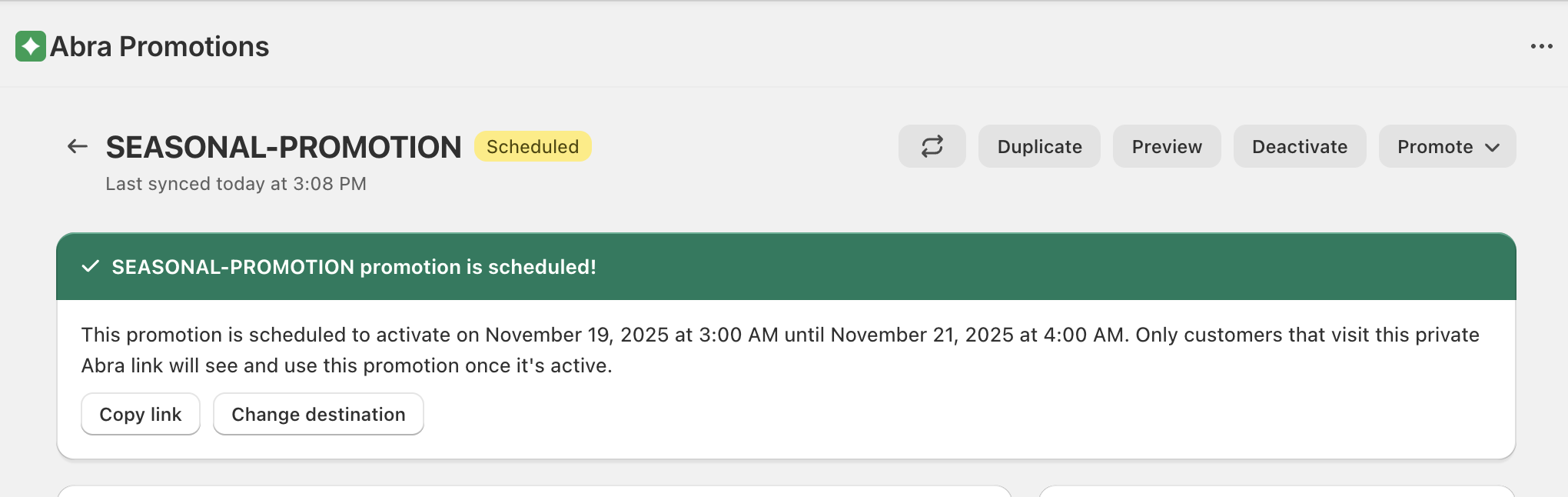
To avoid accidental early activation:
Build your promotion with Visibility set to Private
Set a future Start Date in Active Dates
Switch Visibility to Public
Click Save
The promotion will go live automatically at the scheduled time.
Remember: Only one public promotion can be active at a time. A newly scheduled public promotion will replace any currently active one when it activates.
Deactivating a Promotion
To deactivate your promotion:
Open the promotion
Select “Deactivate” in the upper right hand corner of the app.
Important: Check off “deactivate associated discounts” or they will continue to run while your storefront blocks are deactivated.
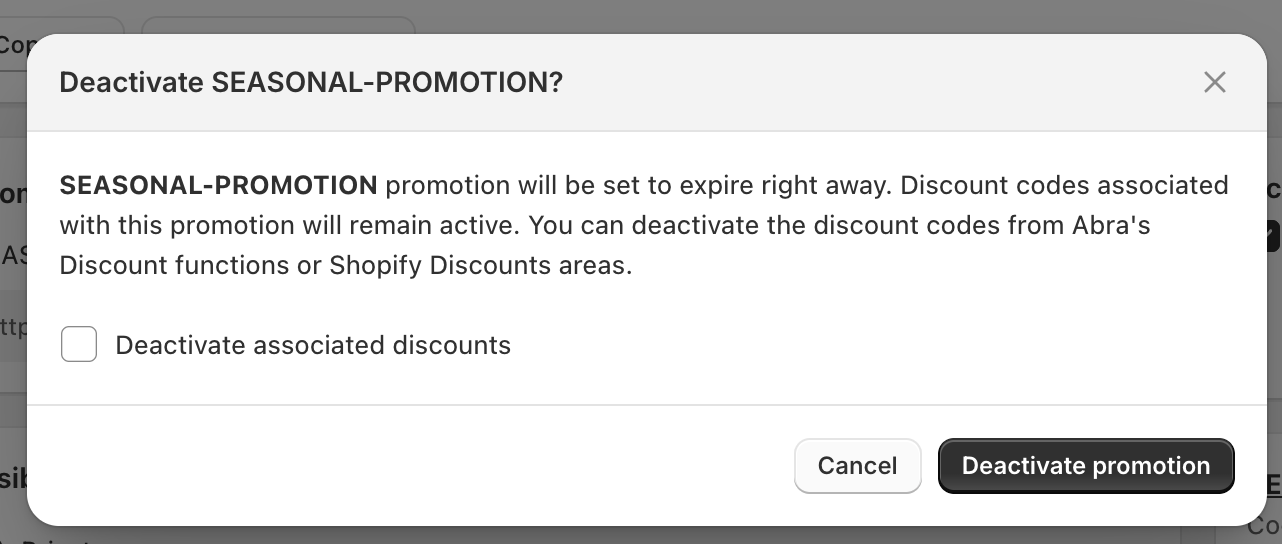
Click Save
This hides storefront blocks and stops the discount from applying, but keeps the promotion configured for future use.