

Dynamic Strikethrough Pricing
Dynamic strikethrough pricing updates product prices across your storefront in real time when promotions are active. Customers see the original price with a strikethrough and the discounted price next to it.
What It Does
When dynamic pricing is enabled and a promotion is active:
Product pages show strikethrough pricing for discounted items
Collection pages show updated pricing
Cart shows updated pricing
Prices update automatically as customers qualify or lose eligibility for promotions.
Important: This is optional. Promotions work without dynamic pricing, but customers won't see discounted prices until checkout.
What It Requires
Dynamic pricing requires schema setup in your theme. This connects Abra's discount logic to your theme's price display elements.
Important:
This setup requires a developer to add JSON schema in Abra to match pricing elements in your theme. View our developer documentation or contact our team for assistance.
How to Set It Up
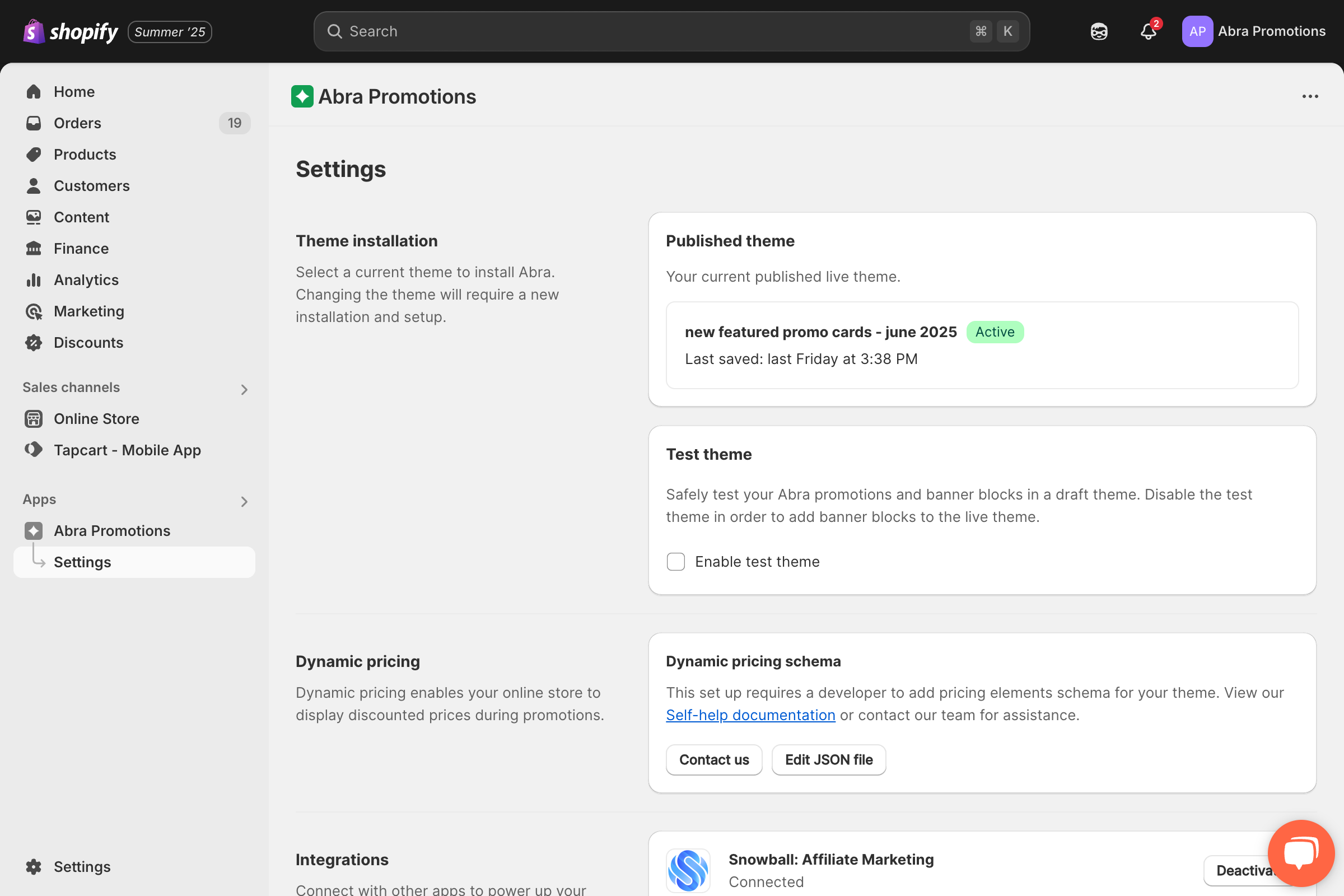
Step 1: Configure Settings in Abra
Open the Abra app
Navigate to Settings in the lefthand sidebar
Under Dynamic Pricing, click Edit JSON file
Step 2: Add Schema to Your Theme
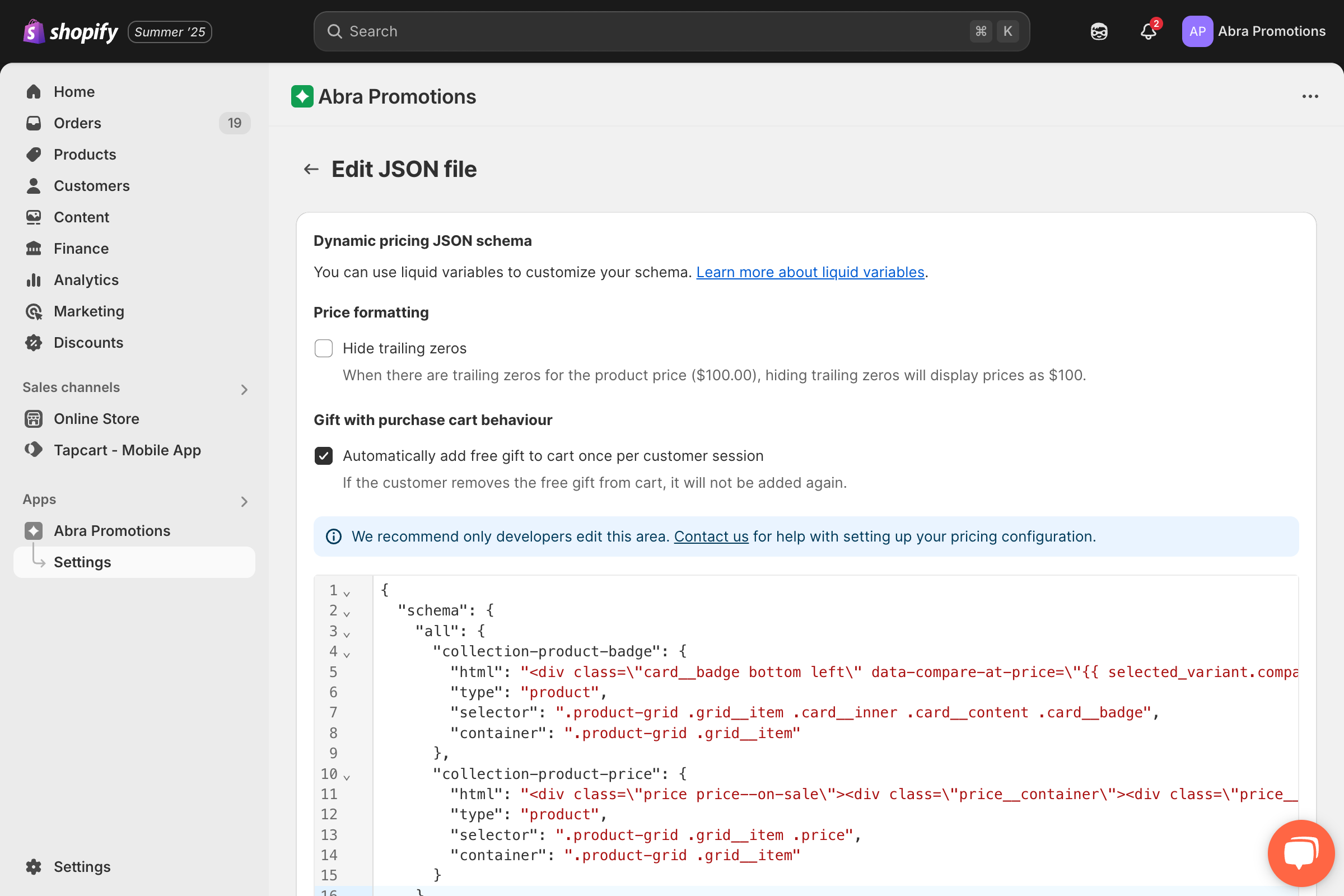
Follow the instructions in Abra's Developer Documentation
Or contact the Abra team at [email protected] for setup assistance. The schema tells Abra where to find and update price elements in your theme.
Step 3: Verify It's Working
Create a test promotion with a product discount
Add an eligible product to your cart
Check the product page, you should see strikethrough pricing
Remove the item and pricing should revert to original
If pricing doesn't update, double-check the schema configuration.
How It Works with Visibility Types
Dynamic pricing follows your promotion's visibility settings:
Public promotions - All customers see updated pricing
Private (Abra Link) promotions - Only customers who click the link see updated pricing
Customer Account promotions - Only logged-in customers with the required tag see updated pricing
Where It Appears
Dynamic pricing updates on:
Product pages
Collection pages
Cart
Not supported:
Shop App
Shopify POS
Limitations
Requires developer setup (schema configuration in theme)
Not supported on Shop App or Shopify POS
Some highly customized themes may require manual adjustments
Only works for product-level discounts (order-level discounts don't show strikethrough pricing on product pages)